Free Hebrew/Greek Bible
Pick up where you left off later. Your reading position and highlights save on this device.
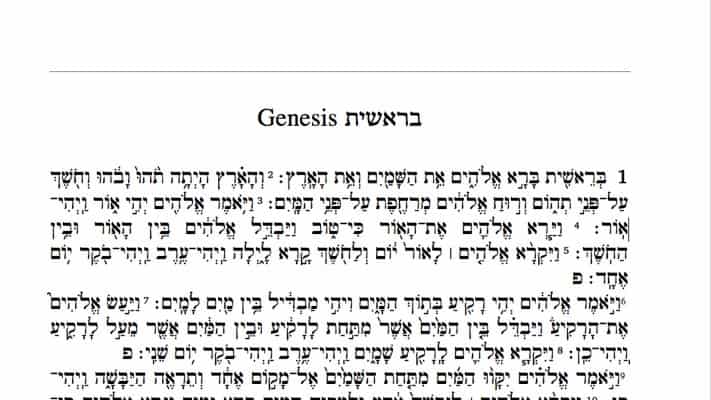
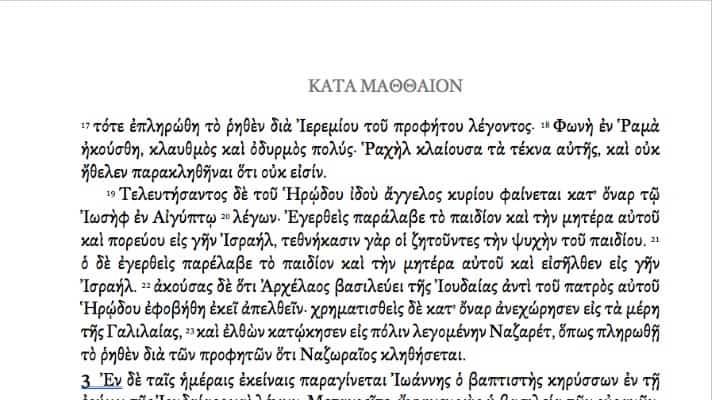
Free Word and PDF files of the Greek New Testament and Hebrew Bible, prepared by Dr Abner Chou of The Master's University. Pick a size, customise the file in Microsoft Word, and print through IngramSpark or Snowfall Press. Three pre-built editions below, plus full instructions.
Ever wanted a Hebrew and Greek Bible tailored for you?
Dr Abner Chou of The Master’s University Bible Department has prepared a free version of the Hebrew and Greek texts and made them available for you to print and read for yourself. Choose the edition you want, customise it in Microsoft Word, and have it printed by a print-on-demand service.
How to print your Bible in three steps
- Choose. Pick the edition that fits your reading habits from the three options below.
- Customise. Open the Word file and adjust paper size, margins, and fonts to taste.
- Print. Export to PDF and upload to IngramSpark or Snowfall Press.
If you are happy with one of the base files as-is and only want to print through Snowfall Press, you can skip the customisation step and use the PDF directly.
Step 1: Choose an edition
Three pre-built editions are available below. Each one provides a Word file (for customising fonts, margins, and paper size) and a print-ready PDF (for sending straight to a print service).
If none of the three is exactly what you want, start from the Word file closest to your taste and tweak it.
Step 2: Customise your file
You can edit the Word file for paper size, margin size, and fonts before printing.
Paper size. Go to the Layout tab in Word, select Size, then Custom Size. Type in the dimensions you want. For Snowfall Press you can use any size. For IngramSpark you’ll need to pick from their supported trim sizes — check ingramspark.com for the current list.
Margin size. Go to Layout, Margins, Custom Margins. Type in what you want. A few notes:
- Don’t change the gutter margins.
- It is not recommended to set margins below 0.5 inches.
- If you want to have the printed book rebound at Leonard’s, add 0.25 inches to the inner margin.
- For a wide-margin layout, you’ll need to fiddle with page size and margins together. The 7×10 Wide Margin base file is a good starting point.
Font size and font choice. To change the Greek font, use Find and Replace to swap the SBL Greek font. To change the Hebrew font, go to the Home tab and right-click on the relevant styles: BHebrew style (complex font and size), HebBody style (complex font and size), and Hebrew Title style (complex font and size).
Be patient as Word repaginates this large document after a change. It may appear frozen — wait, it will catch up.
Before saving, check:
- An even number of pages total.
- The Greek Bible begins on an odd-numbered page (and Matthew 1 begins on an odd page).
- The Hebrew Bible begins on an even-numbered page (and Genesis 1 begins on an even page).
- Two blank pages at the end of the file, and between the last page of Revelation and Chronicles.
- The beginning of each book lands where you want it.
Export to PDF. In Word, go to File → Save As (or Export → Create PDF/XPS). Choose PDF. For IngramSpark, in the Options dialog, tick the “ISO 19005-1 compliant (PDF/A)” or equivalent PDF/X-1a option if available. Save the file with a descriptive name.
Step 3: Print and bind
IngramSpark (faster, cheaper)
The reason to print with ingramspark.com is cost and speed. You can get a hardcover book directly from them for less than the cost of printing at Snowfall and then having it rebound at Leonard’s.
- Set up a free IngramSpark account. You will need to supply a credit card for setup charges.
- Make sure your PDF is saved as PDF/X-1a:2001 — IngramSpark requires this standard. Modern Word can export this directly, or you can convert from a standard PDF using Adobe Acrobat Pro’s Preflight tool.
- Create a new title. Click “add new title” and fill in the required fields. For book description and topic, fill in whatever you like — you are not selling this book.
- Select the appropriate trim size matching your Word document.
- Pick hardcover — case laminate is hardcover with print directly on the cover; cloth is cloth.
- Enter the page count.
- Critical: at Step 5 of IngramSpark’s flow, pick a non-distributable SKU. Do not select an ISBN. This marks the book as printed privately, not for resale.
- Set the publication date as today.
- Upload your interior PDF.
- If you need a cover, request IngramSpark’s cover template using your non-distributable SKU. Open the template in InDesign (a trial version works), design your cover, export as PDF/X-1a:2001, and upload it.
- Submit your files. IngramSpark will check them and charge a setup fee. Try the code
GETPUBLISHEDto avoid setup charges. If that doesn’t work, search for a current promo code online — they roll new ones regularly.
IngramSpark will process the book in about two to three business days. They send an e-proof; once you approve it, you can order copies (even a single copy) to yourself.
Snowfall Press (higher quality)
The reason to print with Snowfall Press and bind at Leonard’s Book Bindery is quality. The paper is thinner (so the Bible is less bulky), the size options are more customisable, and you can have it leather-bound nicely. It is a bigger investment of time and money, but you get what you pay for.
- Start an account at snowfallpress.com.
- Begin a new book project — “new book.”
- Fill in book title, page size, margins, and paper type. Use 13lb paper.
- Upload your interior PDF.
- Adjust the content in their interface so it fits within the margins. Step through the book using the navigation arrows. Your inside margins should be quite generous if you are sending it on to Leonard’s — they will cut off 0.25 inches in rebinding. If you added that to your margins in Word, you’re set.
- For the cover, go to snowfallpress.com/pricing, enter your specs, and Snowfall will give you the PDF cover sizing. In Word, make a document at that exact size, design the cover, export as PDF, and upload it.
- Click back, then order a proof. (Click Print Proof and check out through the cart.)
The proof typically arrives within a few business days. (Mine reached California in four.)
Finishing your Snowfall Bible
After your book arrives from Snowfall, you can have it bound in leather. Leonard’s Book Restoration handles this — see their how to order page for instructions. Make sure the book reads exactly the way you want before sending it.
Alternatively, order a custom leather cover from Innovative Journaling. This does not rebind your Bible — it provides a high-quality leather slip-cover that fits snugly. If your paperback binding ever breaks, print another copy, slip it into the cover, and you are back in business. This is faster and less expensive than full rebinding.
The editions
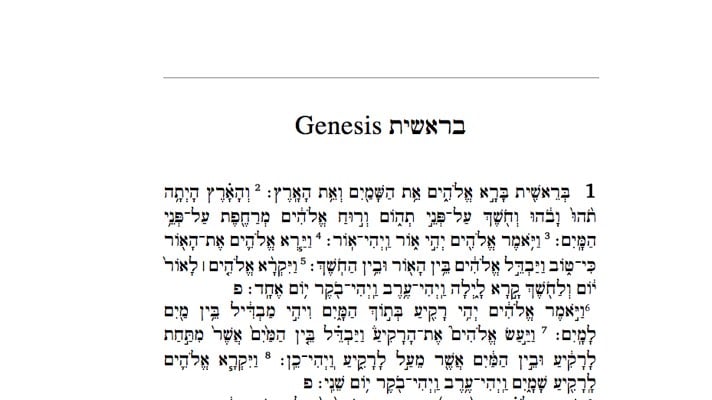
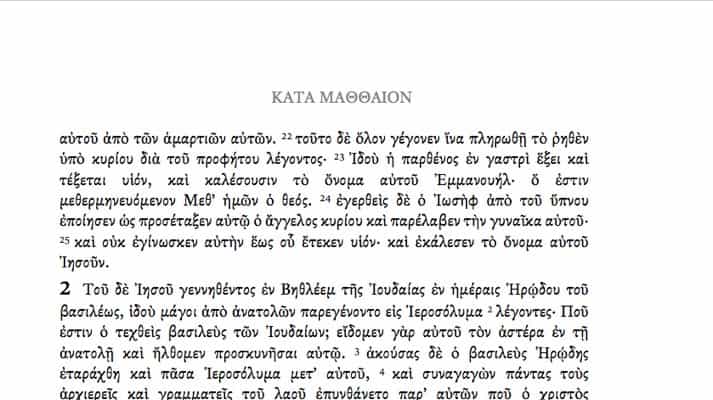
7×10 Wide Margin
Generous outer margins for annotation. Good for serious note-takers and study Bibles.
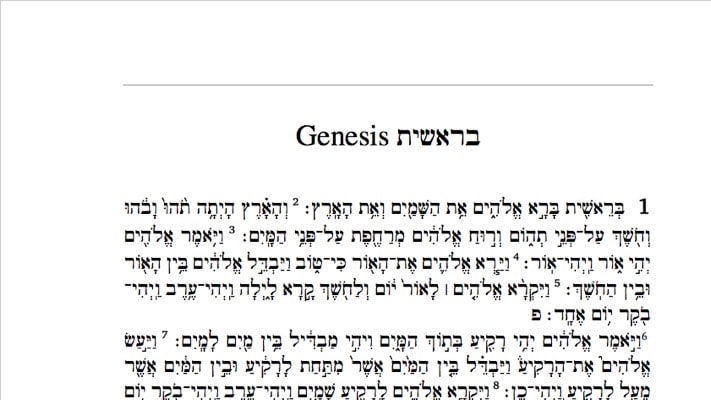
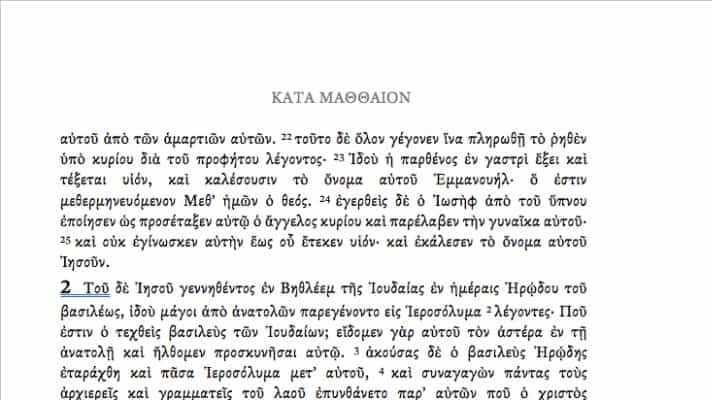
5×8 Large Font
Pocket-size with a large type face. Good for daily reading and travel.
7×10 Large Font
Full-size with a large type face. Easiest on the eyes for desk reading.
Contact Dr Abner Chou
If you have any questions about the files or the printing process, contact Dr Abner Chou at The Master’s University.
Email Dr Abner Chou